 Noticeable Text
Why your posts all look the same
Most places you type (social media posts, chat apps, email subject lines) don't give you a font menu. Everybody's post looks the same, and the one word you want people to notice doesn't stand out.
Here's the trick. Unicode, the big shared alphabet every phone and computer understands, has whole extra alphabets tucked inside it: a bold one, a script one, a circled one, and more. Noticeable Text swaps your letters for those look-alikes. Think of it like rubber stamps: same words, different stamp. The styling travels with the text and shows up wherever you paste it, with no font needed on the other end.
Why I built this
I've had a desktop Noticeable Text for Windows at the-Automator for a while: hit a hotkey and your text is styled. This is the browser version, so you can do the same thing from a phone, a Mac, or any computer where you can't install anything.
How it works
- Type or paste your text in the box.
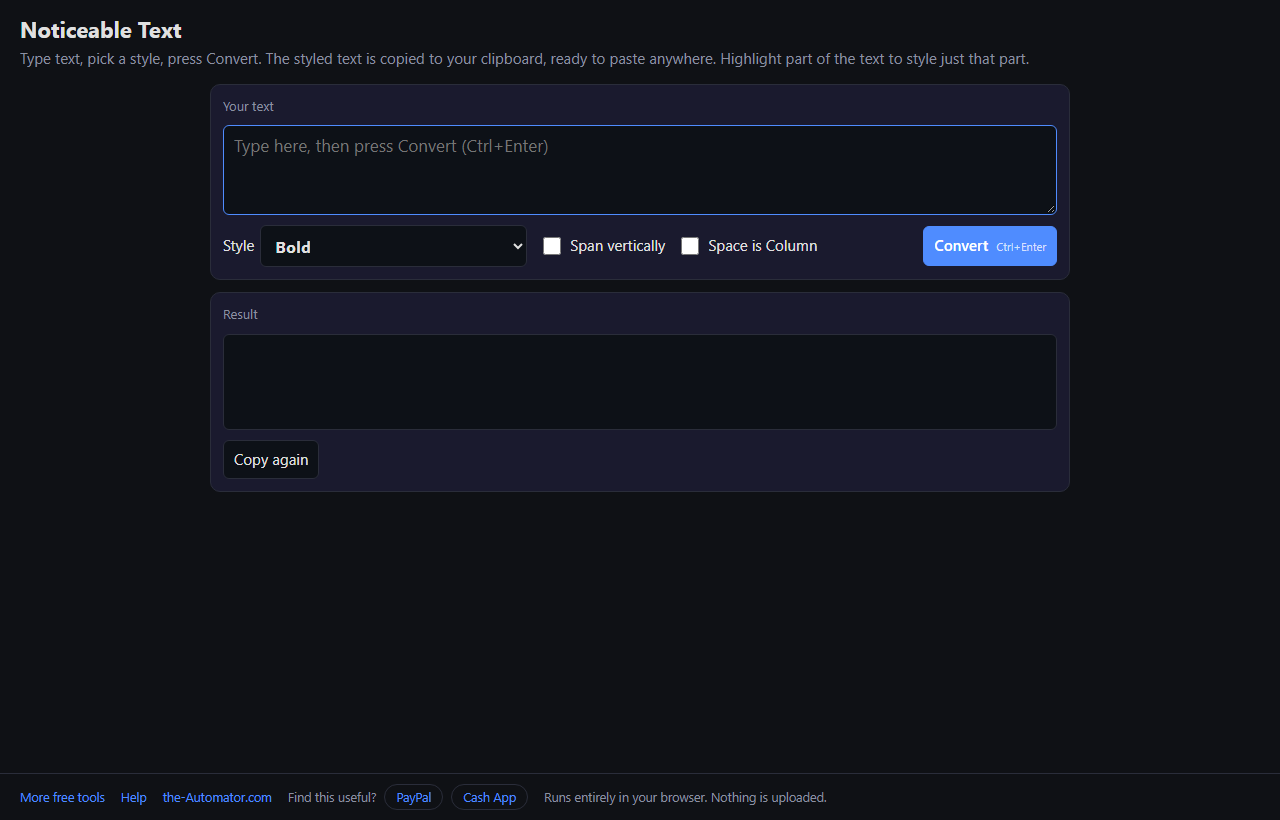
- Pick a style from the dropdown. Each one is shown in its own style, so you see what you'll get.
- Press Convert (or Ctrl+Enter). The result shows up below and is copied to your clipboard at the same time.
- Paste it wherever you like. Press Copy again if you need it back on the clipboard later.
Style one word, stack it, or make a code
Just one word. Highlight a word or phrase before pressing Convert and only that part is styled. That's how you bold one word in a sentence. On a phone, long-press to select, then tap Convert.
Span vertically puts every character on its own line so the text reads top to bottom. Space is Column turns each word into a column, side by side.
Barcode and QR Code make a picture instead of text: a real Code 128 barcode or a real QR code, copied to your clipboard or saved with Download PNG. Type a web address for the QR code and it becomes a tappable link when scanned.
Why I ask for your email
Everything happens inside your browser. Your text is never sent anywhere and nothing is stored on a server. The email is how I keep these tools free and know real people are using them.
I might send you a note now and then about other free tools I build. I will never sell or give your email to anyone else.
Questions people ask
Is it really free?
Yes. The browser version is free. You sign up once per browser and that's it.
Which styles are there?
Circled, Negative circled, Squared, Negative squared, Fullwidth, Bold, Bold Italic, Italic, Script, Double-struck, Monospace, Upside down, Flipped, Strikethrough, Barcode and QR Code.
Why do some letters show as boxes?
The device reading your text needs a font that includes those characters. Nearly all modern phones and computers have one. A very old device may show a box for a few of the fancier styles, like Script or Double-struck.
Will screen readers read it correctly?
Not always. Some screen readers spell out styled characters one at a time, or skip them. Use the styles for emphasis, not for the whole message.
The QR code picture didn't copy. What now?
A few browsers, and most on iPhone, won't put a picture on the clipboard from a web page. Press Download PNG and use the file instead.
Can I use it offline?
Yes. Once the page has loaded, it keeps working without a connection.